
Quick facts
- Counting every call as a qualified lead can create misleading reports.
- Contractors should establish a permanent business number and document any tracking numbers used for marketing purposes.
- A dedicated tracking number can help identify calls initiated through a contractor's Google Business Profile when it is configured as the number customers actually call.
- A call may become an appointment, a completed job, or an estimate that never receives approval.
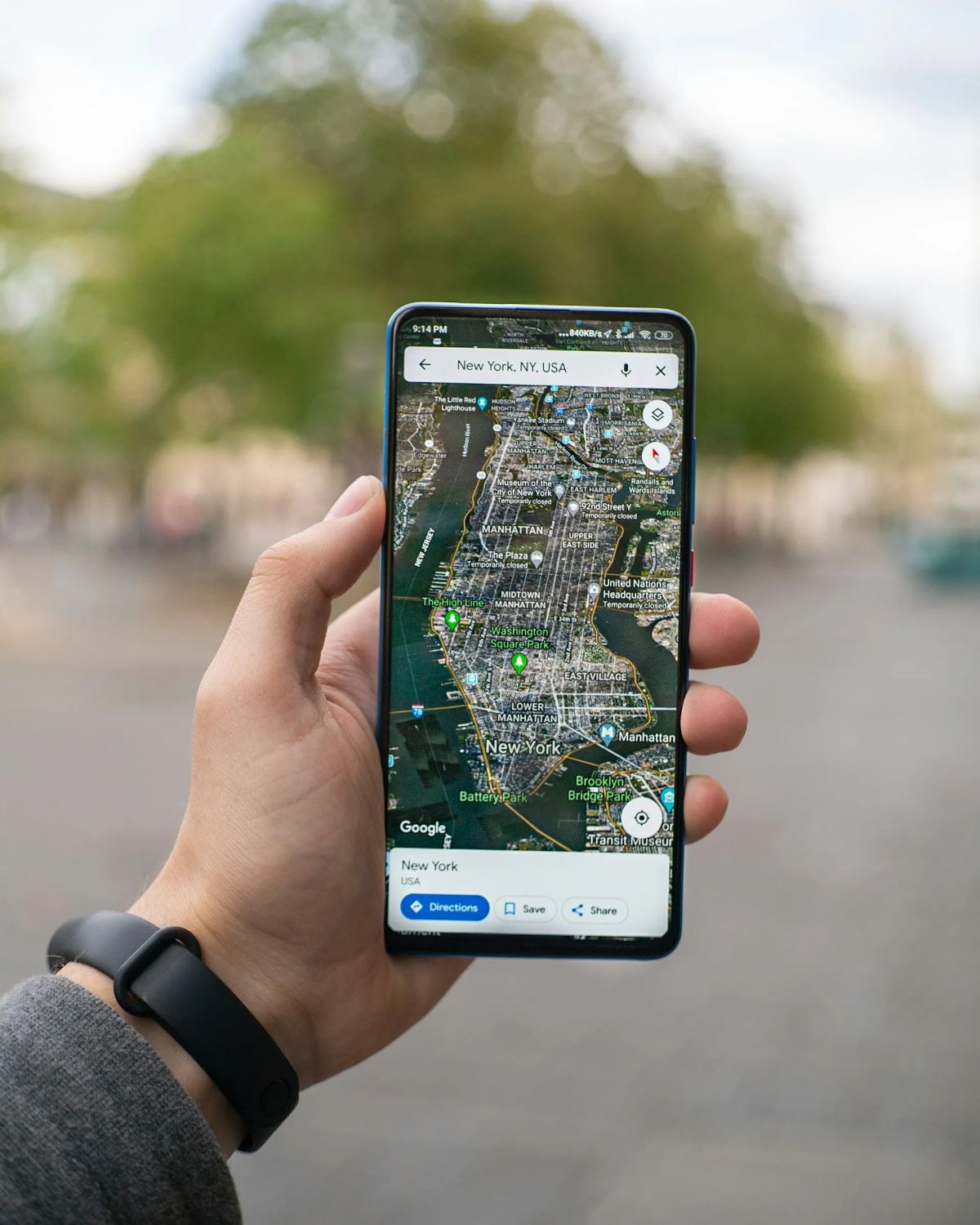
A homeowner searches Google for an emergency plumber, finds a local business on Google Maps, and taps the call button. The contractor answers, schedules an appointment, and completes the repair.
The job generates revenue, but the business owner may not know which marketing channel brought in that customer.
Was it Google Maps, organic search, a paid advertisement, or a referral?
Without proper call tracking, contractors may struggle to connect customer inquiries with their marketing efforts.
Contractor profile management on Google involves more than maintaining accurate business information and improving local search visibility. It also includes understanding how customers interact with a Google Business Profile and whether those interactions result in booked jobs.
For HVAC, plumbing, electrical, roofing, and other home service businesses, phone calls are an important way customers request estimates, schedule repairs, and book appointments.
Call tracking helps contractors identify the sources of those inquiries and evaluate which marketing activities contribute to their business.
However, implementing call tracking requires careful planning. Incorrect phone number configurations, inconsistent business listings, and disconnected customer records can create attribution problems.
This guide explains how contractors can set up call tracking for Google Business Profile, maintain accurate business information, and connect incoming calls with booked jobs and revenue.
Why Call Tracking Matters for Google Business Profile Management
Google Business Profile helps eligible contractors manage their presence across Google Search and Google Maps.
When homeowners search for local services, they may find a business listing displaying its phone number, reviews, operating hours, website, and service information.
For contractors, these listings can create opportunities to connect with customers who are actively looking for help.
However, appearing in search results is only one part of marketing performance.
Business owners also need to understand whether their visibility generates relevant inquiries.
How Google Business Profile Generates Contractor Phone Calls
Consider an HVAC contractor serving several nearby communities.
A homeowner experiencing an air conditioning problem searches for "AC repair near me."
Google may display local HVAC businesses that appear relevant to the search.
The homeowner reviews the available listings, compares customer feedback, and calls a company directly from its Google Business Profile.
That call may lead to a scheduled appointment.
Other homeowners may visit the contractor's website first or save the business number for later.
These different customer journeys make lead attribution more complicated.
Google Business Profile performance reporting can provide information about certain customer interactions, including calls initiated through available profile features.
However, those interaction metrics do not automatically show whether the caller was a qualified customer or whether a job was booked.
Contractors need additional information to understand the business value of those inquiries.
Why Tracking Calls Is More Useful Than Counting Profile Views
Profile views can indicate that a business is being discovered, but they do not necessarily represent customer demand.
Similarly, an incoming call is not always a new sales opportunity.
A roofing contractor may receive calls from existing customers, sales representatives, and homeowners requesting services outside the company's coverage area.
Counting every call as a qualified lead can create misleading reports.
A more useful tracking process distinguishes between:
- Total incoming calls
- Answered and missed calls
- Qualified new-customer inquiries
- Scheduled appointments
- Completed jobs
- Revenue associated with those jobs
For example, a contractor may receive 50 calls from a marketing channel but book only 15 appointments.
Another channel may produce 30 calls and generate 20 bookings.
The second channel produced fewer calls but more scheduled work.
Tracking these differences helps contractors understand which sources are contributing to actual business opportunities.
What Contractors Need Before Setting Up Google Call Tracking

A reliable call-tracking setup starts with accurate business information.
Before introducing tracking numbers or website scripts, contractors should review their existing Google Business Profile and phone number configuration.
This helps prevent unnecessary confusion between marketing channels.
It also reduces the risk of creating inconsistent contact information across business listings.
Auditing Google Business Profile and Business Phone Numbers
Contractors should begin by reviewing their Google Business Profile.
The business name, primary category, phone number, website, operating hours, and service areas should accurately represent the company.
The profile should also be claimed and verified where required.
Next, the contractor should identify where its phone number currently appears.
Common locations include:
- Google Business Profile
- Website header and footer
- Service and location pages
- Local business directories
- Social media profiles
- Paid advertising campaigns
- Printed marketing materials
This review helps identify outdated phone numbers and inconsistent listings.
For example, a plumbing company may have changed its primary business number while older directories still display the previous number.
These inconsistencies can confuse customers and make it harder to maintain reliable contact information.
Contractors should establish a permanent business number and document any tracking numbers used for marketing purposes.
The goal is to keep business information accurate while making attribution possible.
Understanding Primary Numbers and Tracking Numbers
A permanent business phone number is the company's established contact number.
A tracking number is a separate number that forwards calls to the business while allowing a tracking platform to record information about the inquiry.
Depending on the tracking provider and configuration, contractors may use a dedicated tracking number for calls initiated from their Google Business Profile.
Google Business Profile supports primary and additional phone number fields, subject to its requirements.
A common tracking configuration uses a dedicated forwarding number as the profile's primary displayed number while retaining the permanent business number as an additional number.
Other configurations may preserve the permanent number as primary and use tracking for specific website interactions.
These approaches are not interchangeable. The correct setup depends on how calls are initiated, which number customers see, and what the tracking platform can actually attribute.
Adding a tracking number as an additional phone number does not automatically guarantee that calls made through the main Google listing will be tracked.
Contractors should confirm the intended configuration with their tracking provider and test it before relying on the resulting reports.
They should also avoid distributing temporary tracking numbers across unrelated directories.
Maintaining a documented permanent number helps protect contact consistency and makes future tracking changes easier to manage.
How to Set Up Call Tracking for a Contractor's Google Business Profile
Call tracking software allows businesses to associate incoming calls with marketing sources.
Providers such as CallRail offer features that can support dedicated tracking numbers, call forwarding, and website-based attribution.
However, the setup must distinguish between calls made directly from Google Business Profile and calls made after someone visits the website.
These interactions follow different tracking paths.
Setting Up a Dedicated Google Business Profile Tracking Number
A dedicated tracking number can help identify calls initiated through a contractor's Google Business Profile when it is configured as the number customers actually call.
A typical setup involves the following steps:
- Review the existing Google Business Profile phone number configuration.
- Select a call-tracking provider that supports the required attribution.
- Obtain a dedicated forwarding number.
- Configure the number to forward calls to the contractor's regular business line.
- Add the tracking number to the appropriate Google Business Profile phone field.
- Retain the permanent business number in the appropriate additional field when supported.
- Make a test call to confirm forwarding and attribution.
- Review the tracking platform to verify that the call is assigned to the intended source.
For example, an electrical contractor may configure a dedicated number for its Google Business Profile.
When a homeowner calls that number, the tracking platform records the inquiry as originating from the configured Google Business Profile number.
The call then forwards to the contractor's normal phone system.
Depending on the provider, the business may also receive information about call duration, time, and whether the call was answered.
However, a dedicated number identifies calls made to that number. It does not prove every customer's original discovery path.
A homeowner may save the number and call again later, or find it through another source.
Contractors should interpret attribution as useful evidence rather than a perfect record of every customer interaction.
Using Dynamic Number Insertion for Website Call Tracking
Dynamic number insertion, commonly called DNI, helps contractors track phone calls generated through their websites.
DNI uses a script to display different forwarding numbers based on available information about how a visitor reached the website.
For example, a homeowner arriving through a tracked Google Ads campaign may see one phone number.
A visitor arriving through organic search may see another.
Both numbers can forward calls to the same business line.
The tracking platform records available source information for each call.
A typical DNI setup includes installing the provider's script, configuring tracking numbers, and testing how numbers display for different traffic sources.
However, DNI does not automatically track every call from Google Business Profile.
A homeowner who taps the call button directly on Google Maps may never visit the contractor's website.
That interaction requires a different tracking approach from a website call.
Likewise, a customer who visits the website through a Google Business Profile link may be tracked as a website visitor if the source can be identified.
Contractors should distinguish between direct profile calls and website calls when reviewing reports.
Combining these categories without clear definitions can create inaccurate conclusions about marketing performance.
Connecting Google Business Profile Calls to Booked Jobs and Revenue

Knowing which marketing source generated a phone call is useful, but contractors also need to understand what happened after the inquiry.
A call may become an appointment, a completed job, or an estimate that never receives approval.
Connecting call tracking with customer records helps businesses follow these outcomes.
Integrating Call Tracking With CRM and Field Service Software
Many contractors use CRM or field service management software to organize customer information, scheduling, job records, and invoices.
Platforms such as ServiceTitan and Housecall Pro can support these operational processes.
When compatible integrations are available and correctly configured, lead information from a call-tracking platform can be associated with customer and job records.
For example, a plumbing customer may follow this process:
- The homeowner finds the plumbing company through Google Maps.
- The customer calls the business using its dedicated tracking number.
- The call reaches the company's dispatcher.
- The dispatcher records the requested service.
- The customer schedules an appointment.
- A technician completes the plumbing repair.
- The company issues an invoice and records payment.
When the records are properly connected, the contractor can review the original inquiry alongside the booking and financial outcome.
The level of automation depends on the software and available integrations.
Some businesses may need to match records manually or use consistent lead identifiers.
Staff should also record the source customers report during intake, particularly when automated attribution is unavailable.
A useful intake question is, "How did you hear about our company?"
The answer can provide additional context, although customer-reported attribution is not always exact.
Measuring Call Quality, Booking Rates, and Revenue
Contractors should evaluate more than the total number of calls received. Not every call represents a qualified lead, and not every inquiry results in a booked job.
Tracking qualified inquiries, scheduled appointments, completed jobs, and collected revenue helps contractors better understand their marketing performance.
A contractor receiving many calls but few bookings may need to review call handling, scheduling availability, or lead quality.
Revenue reporting should also distinguish between booked appointments, completed work, and actual payments received.
Connecting call tracking with booking and revenue data provides a clearer picture of which marketing channels generate valuable business opportunities.
Common Google Business Profile Call Tracking Mistakes to Avoid
Even a well-designed tracking system can produce unreliable reports if phone numbers, source settings, or customer records are not maintained correctly.
Contractors should review their setup periodically and investigate unexpected changes in call volume or attribution.
Incorrect Number Placement and Attribution Problems
One common mistake is assuming that adding a tracking number anywhere on the Google Business Profile automatically creates accurate call attribution.
If customers continue calling a different displayed number, the tracking platform may not capture those inquiries.
Other problems include using the same tracking number for several unrelated channels or allowing old tracking numbers to remain on business directories.
These configurations can make it difficult to identify where calls originated.
Contractors should avoid:
- Using one tracking number for multiple channels without a clear attribution strategy
- Replacing permanent business numbers across unrelated listings without planning
- Assuming website DNI captures direct Google Maps calls
- Failing to test call forwarding after changing phone numbers
- Counting repeat calls as separate new customers
- Ignoring missed calls or disconnected call records
A reliable setup requires both technical testing and consistent reporting definitions.
It is also important to understand that Google Business Profile's former call history feature was discontinued.
Contractors should not confuse historical call history functionality with the interaction metrics that may remain available in profile performance reporting.
External call-tracking software can provide additional detail, but its accuracy still depends on the configuration.
Failing to Connect Call Data With Customer Outcomes
Another common problem is tracking calls without recording what happens afterward.
A contractor may know that Google Business Profile generated 40 calls but have no record of how many became appointments.
Without booking information, the business cannot reliably evaluate lead quality.
Similarly, a completed job may remain disconnected from its original marketing source if the CRM record is incomplete.
Contractors should establish a consistent process for updating lead status.
This may include recording whether a call was qualified, whether an appointment was scheduled, and whether the work was completed.
Payment records should also be connected where possible.
Regular reporting reviews can identify missing information and integration problems.
For example, if the tracking platform records 30 qualified calls but the scheduling system contains only 12 associated appointments, the business should investigate whether the difference reflects unbooked leads or incomplete records.
These checks help prevent inaccurate conclusions about marketing performance.
They also reveal operational improvements that may increase bookings without requiring additional advertising spending.
Improve Google Business Profile Call Tracking With SwarmSystem
Effective contractor profile management on Google involves more than maintaining an accurate listing.
Contractors also need to understand how their Google Business Profile contributes to customer inquiries, scheduled appointments, and completed work.
A reliable tracking system begins with accurate business information and a properly configured phone number strategy.
Dedicated tracking numbers can help identify direct Google Business Profile calls, while dynamic number insertion can provide additional attribution for website inquiries.
Connecting these records with scheduling and CRM information allows contractors to evaluate what happens after the phone rings.
This provides a clearer understanding of which marketing channels generate qualified leads, booked jobs, and revenue.
SwarmSystem helps HVAC, plumbing, electrical, roofing, and other home service businesses connect Google Business Profile optimization, local SEO, call tracking, and revenue-focused reporting.
The goal is to help contractors evaluate marketing performance through meaningful business outcomes rather than relying exclusively on search rankings or total call volume.
Contact SwarmSystem to improve your Google Business Profile management and better understand which marketing channels are generating calls, booked jobs, and revenue.
Frequently asked questions
Can contractors track calls from Google Business Profile?
Yes. Contractors can use appropriately configured third-party call-tracking software to track calls made to a dedicated Google Business Profile forwarding number. The accuracy depends on which number customers call and how the tracking system is configured.
Should a contractor replace their main phone number with a tracking number?
A dedicated tracking number may be configured as the primary displayed Google Business Profile number, with the permanent business number retained as an additional number where supported. Contractors should review the setup with their provider, preserve accurate business information, and test forwarding before making changes.
What is dynamic number insertion?
Dynamic number insertion is a website tracking method that displays different forwarding numbers based on available visitor-source information. It helps contractors distinguish certain website calls generated through organic search, paid advertising, and other channels.
Does Google Business Profile still provide call tracking?
Google discontinued its former Business Profile call history feature. Google Business Profile performance reporting may still provide call interaction metrics, but detailed call attribution and connections to booked jobs generally require additional tracking and operational records.
Can contractors track booked jobs from Google Maps calls?
Yes, when call records can be connected to scheduling or CRM information. Contractors can use this information to evaluate which tracked calls became appointments, completed jobs, and associated revenue.
How often should contractors review call tracking reports?
Weekly checks can help identify missed calls, forwarding problems, and incomplete records. Monthly reviews provide a useful starting point for comparing qualified inquiries, booking rates, completed jobs, and revenue across marketing channels.

About the author
Justin Day, founder of SwarmSystem
Justin Day has spent ten years getting local businesses found, and his work has generated over $100 million for clients.
Corrections: If something here is wrong, book a call and tell us. We fix it and change the date.