Quick facts
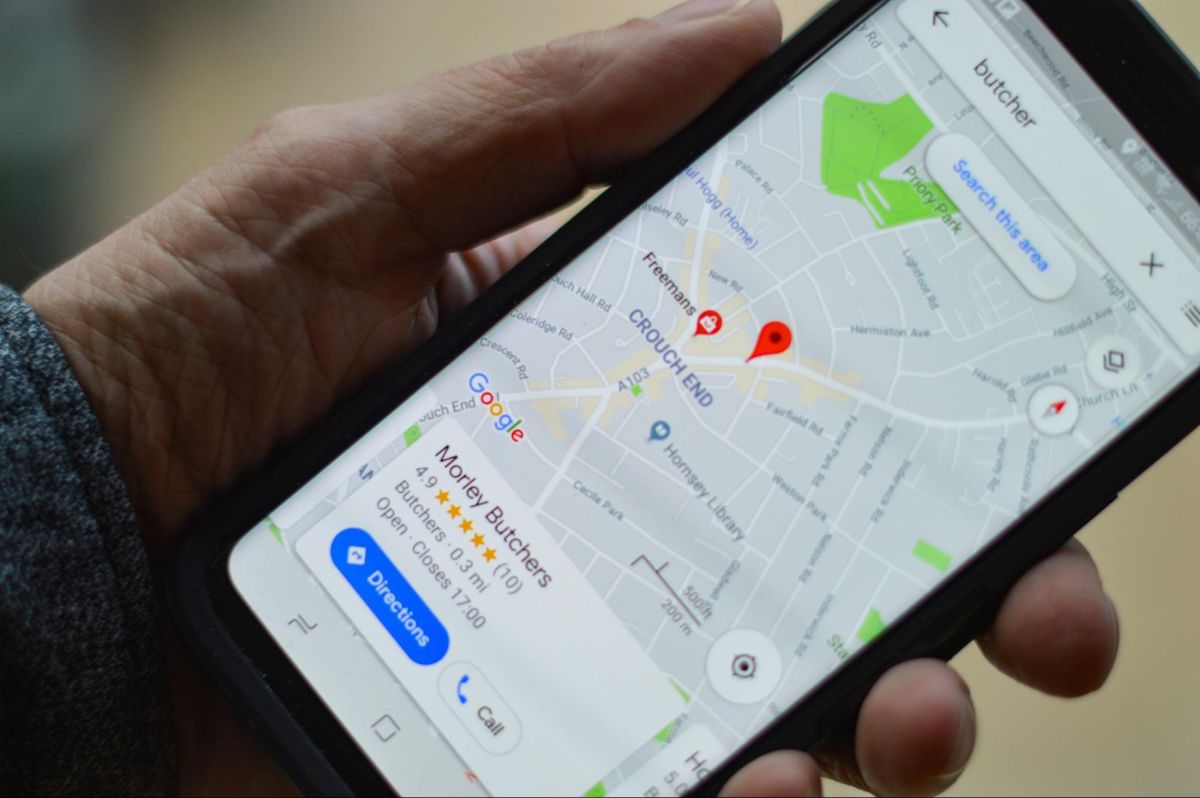
- Someone searching for "AC repair near me" may see local HVAC companies displayed alongside a Google map.
- Before making changes to your listing, confirm that your company has access to the correct profile.
- Your Google Business Profile should display the name your company uses in everyday business.
- If customers do not visit your business location, your company may qualify as a service area business.
- Photos, reviews, and a useful website can help homeowners understand your services and feel more confident contacting your team.
When a homeowner needs a plumber, HVAC technician, electrician, or roofer, they often start with Google. They search for a nearby contractor, compare a few businesses, and look for a phone number to call.
Your Google Business Profile helps customers find that information. It can show your services, business hours, reviews, and contact details directly in Google Search and Maps.
But having a profile does not mean homeowners will find your business or choose to call. Missing services, incorrect information, and unclear availability can make it harder for customers to reach you.
A properly set up Google Business Profile for contractors helps homeowners understand what your company offers and how to contact your team.
This guide explains how to set up your profile, avoid common mistakes, and check whether Google is helping bring in calls and booked jobs.
Why Does Google Business Profile Matter for Contractors?
Google Business Profile allows eligible contractors to manage the business information customers see in Google Search and Maps.
For companies that serve homeowners, it can be an important part of getting found when someone needs work done nearby.
Homeowners Can Find Your Business Before Visiting Your Website
Someone searching for "AC repair near me" may see local HVAC companies displayed alongside a Google map. Another homeowner looking for an electrician may compare nearby contractors based on their ratings, services, and contact information.
These local listings can help customers find businesses without visiting several websites first.
Your profile may display your company name, phone number, operating hours, website, reviews, and available services.
That information helps homeowners decide whether your business can handle their problem and whether they should call.
Getting Found Is Only the First Step
Google considers relevance, distance, and prominence when deciding which businesses appear in local results.
Your profile helps Google understand the services you provide, but completing every available field does not guarantee a top ranking.
Even when homeowners find your business, they still need a reason to contact you.
A profile with an incorrect phone number or unclear service information may lead to missed calls. A complete, accurate profile makes it easier for customers to understand your business and take the next step.
The goal is not simply to appear on Google Maps. It is to help homeowners find your company and request service.
Claim and Verify Your Google Business Profile
Before making changes to your listing, confirm that your company has access to the correct profile.
Some businesses already have listings on Google, even if the owner did not create them. Checking first helps avoid unnecessary duplicate profiles.
Find Your Existing Business Listing
Start by searching Google for your company's name. If a listing appears, check whether someone already manages it. You may be able to claim an unmanaged profile or request access from the current owner.
If no profile exists, you can begin creating one through Google Business Profile.
Your company should retain ownership of its profile. If you hire someone to manage local SEO, they can receive appropriate access without taking control away from the business.
This matters because your profile contains information customers use to contact your company. You should be able to update it even if you change marketing providers.
Complete Google's Verification Process
Google requires businesses to verify their eligibility and authority to manage a profile.
The available verification method depends on the business and Google's requirements. You may be asked to provide a video, confirm contact information, or complete another verification step.
For contractors who travel to customer properties, video verification may involve showing business equipment, service vehicles, or other evidence that the company operates as described.
Follow the instructions Google provides for your specific profile. Avoid creating another listing because verification is difficult.
Once your profile is verified, review the public information before relying on it to bring in calls.
Set Up the Business Details That Help Customers Call

The most important profile settings are the ones that help homeowners identify your business, confirm that you provide the right service, and contact your team. Start with your business name, category, phone number, hours, and services.
Use Your Real Business Name and the Right Category
Your Google Business Profile should display the name your company uses in everyday business.
Do not add extra city names or service keywords that are not part of your actual name. For example, a company called "Summit Plumbing" should not add "Best Emergency Plumber Near Me" to its listing name.
Your primary business category should describe your main service.
Depending on your trade, the appropriate category may be Plumber, HVAC Contractor, Electrician, or Roofing Contractor.
Additional categories may be useful if your company genuinely provides other types of services. However, adding unrelated categories will not make your business more suitable for those searches.
Choose categories that accurately explain your work.
Make Sure Your Phone Number Works
Your phone number is one of the most important details on your profile. Check that it connects to your business and reaches someone who can handle customer inquiries. If you use a call tracking number, make sure it is properly configured and routes calls to the right team.
Test the number from a phone outside your business. If a homeowner finds your company while dealing with a broken furnace or leaking pipe, they should not reach an incorrect number or disconnected line. The goal is to make calling your company as simple as possible.
Show Accurate Business Hours
Your listed hours should reflect when customers can reach your business. If your office handles calls during normal business hours, display that information accurately. If you provide genuine emergency service, make sure your profile reflects the availability your team can support.
Do not advertise around-the-clock service if no one is available to answer those calls.
Review your hours when schedules change, including holidays and other periods when your company operates differently. Accurate availability helps homeowners decide whether they should contact your business.
Add the Services Your Team Actually Provides
Your profile should clearly describe the work your company handles. A plumbing contractor might list drain cleaning, water heater repair, and leak detection. An HVAC company may list AC repair, furnace installation, and heat pump service.
An electrician could include electrical repairs, panel upgrades, and outlet installation. A roofing contractor may list roof repair, roof replacement, and inspections.
Use straightforward service names that homeowners recognize. Avoid listing every possible service simply to appear in more searches. If your team does not perform a particular type of work, adding it may bring calls you cannot turn into jobs. Your services should match what customers will find on your website.
Set Your Service Areas Correctly
Many home service contractors travel to customers instead of operating a public storefront. Google allows eligible businesses to describe where they provide services, but the profile must accurately reflect how the company operates.
Know When to Hide Your Business Address
If customers do not visit your business location, your company may qualify as a service area business.
For example, a plumbing company that operates from a private office and sends technicians to homes should generally hide its address from public view.
A contractor with a legitimate staffed location where customers can visit may be eligible to display that address.
Do not use a virtual office, rented mailbox, or another ineligible address simply to appear closer to homeowners in a different area. Follow Google's rules for your business model.
List Communities Where You Actually Work
Your service areas should reflect where your company regularly accepts jobs. If your technicians serve several nearby communities, add those locations through the available service area settings.
However, adding more towns or ZIP codes does not automatically improve your rankings in those places.
Google still considers factors such as distance, relevance, and prominence when showing local businesses.
Accurate service areas also help prevent calls from homeowners outside your coverage.
Focus on locations where your team can actually perform the work.
Give Homeowners a Reason to Choose Your Business
Once your basic profile information is correct, review what customers see when comparing your company with other contractors.
Photos, reviews, and a useful website can help homeowners understand your services and feel more confident contacting your team.
Show Real Photos of Your Company
Homeowners may want to see who they are hiring and what kind of work your company performs.
Add clear photos of your technicians, service vehicles, equipment, and completed projects when appropriate.
For example, an HVAC company may show completed installations, while a roofing contractor could share images of finished roof repairs.
Use photos from your own business instead of unrelated stock images. Obtain permission before publishing images that identify customers or their private property.
Authentic photos help represent your work, although uploading more images does not guarantee better Google Maps rankings.
Ask Customers for Honest Google Reviews
Customer reviews can help homeowners evaluate your company before calling. After completing a job, consider sending a short message inviting the customer to share an honest Google review.
Google provides a review link that businesses can share through appropriate customer communications.
Keep the request neutral. Do not offer rewards, ask only satisfied customers, or pressure homeowners to leave a positive rating.
Reviews can support your business's reputation and local prominence, but they should come from genuine customer experiences.
Connect Your Profile to a Useful Website
Your Google Business Profile should link to your actual business website. When a homeowner clicks through, they should quickly find information about your services, coverage area, and how to request work.
For example, someone who finds an electrical contractor on Google Maps may visit the website to confirm whether the company handles panel replacements.
If that service is difficult to find, the customer may leave and contact another electrician.
Your website should support the information on your Google profile rather than leave homeowners searching for basic details.
Make Sure Google Business Profile Calls Turn Into Appointments
Getting more people to find your profile is useful, but your business also needs to handle the calls that follow.
A homeowner may find your company, tap the call button, and still fail to reach anyone. That means your profile generated interest without producing an appointment.
Check What Happens When Someone Calls
Review how your team handles calls coming from Google. Make sure incoming calls reach the correct person and that someone can answer questions about the services your business offers.
If calls are regularly missed, check whether your voicemail, call routing, or office process needs attention.
Your business should also have a clear way to record service requests and schedule appointments.
A contractor can improve online visibility without seeing more booked work if customers cannot reach the office.
Use Google Business Profile Performance Data
Google provides performance information for eligible business profiles. Depending on the available metrics, you may be able to see profile views, searches, website clicks, and call button interactions.
This information can help show whether homeowners are finding and using your listing.
However, a call button tap does not prove that the call connected. It also does not tell you whether an appointment was booked. Use Google's performance information alongside your own business records.
Track Which Calls Become Booked Jobs
Your office can record where customers say they found your business, the service they requested, and whether an appointment was scheduled.
Call tracking or customer management software may also help connect some incoming inquiries to their sources.
For example, a homeowner might find your HVAC company on Google Maps, call about an AC problem, and schedule a service appointment.
Your records can show whether that appointment was completed and whether it brought revenue into the business.
Marketing attribution is not always exact. Some customers may discover your company through Google but contact you later using another method.
Even with those limits, tracking calls and booked jobs helps you judge whether your online presence is supporting the business.
Common Google Business Profile Mistakes Contractors Should Avoid
Most contractors do not need complicated changes to improve the usefulness of their profiles.
Start by fixing information that could prevent a homeowner from finding the right service or reaching your company.
Review the Most Common Setup Problems
Use this checklist when reviewing your profile:
- Incorrect business name: Remove keywords or locations that are not part of your real business name.
- Wrong business category: Make sure the primary category accurately describes your trade.
- Outdated phone number: Confirm customers can reach your business using the listed number.
- Incorrect hours: Show when your company can actually handle customer inquiries.
- Missing services: Add the work your technicians perform and remove unavailable services.
- Inaccurate service areas: List locations where your company genuinely accepts jobs.
- Duplicate profiles: Check for multiple listings representing the same business operation.
- Broken website link: Make sure homeowners reach your actual website and can request service.
Fixing these problems can make your profile more useful to customers.
Google may also suggest or apply business information changes based on other sources, so review your listing when important business details change.
Do Not Assume More Profile Activity Guarantees More Calls
Adding photos or publishing Google Posts can help customers learn about your business.
However, Google does not identify frequent posting as a requirement for higher local rankings.
You can use posts to share meaningful updates about your services, operating hours, or other relevant information.
The priority should remain accurate business details and a clear way for homeowners to contact you.
Get More Calls From Your Google Business Profile
A properly managed Google Business Profile for contractors helps homeowners find accurate information about your company, understand your services, and contact your team.
Start with the essentials. Claim the correct profile, choose the right category, list your real services, and make sure your phone number and operating hours are accurate.
Then focus on giving homeowners useful information through authentic photos, genuine reviews, and a website that makes requesting service straightforward.
Getting found on Google matters, but the more useful measure is whether those searches lead to calls and booked jobs.
SwarmSystem helps plumbing, HVAC, electrical, roofing, and other home service businesses improve their local search presence and understand how online visibility contributes to customer calls and booked work.
Want to see whether your Google Business Profile is helping customers find your company? Scan your business or book a 15-minute call with SwarmSystem to review your online visibility and identify areas for improvement.
Frequently asked questions
What Is Google Business Profile for Contractors?
Google Business Profile allows eligible contractors to manage business information shown in Google Search and Maps.
It can display services, hours, contact information, customer reviews, and other details that help homeowners find and evaluate local businesses.
Can Contractors Have a Google Business Profile Without a Storefront?
Yes. Eligible contractors who travel to customer properties can use a service area business profile.
If customers do not visit the business address, the company should follow Google's rules for hiding that address and listing its actual service areas.
What Is the Best Google Business Profile Category for Contractors?
The best primary category depends on the company's main trade.
Plumber, HVAC Contractor, Electrician, and Roofing Contractor are examples of categories that may fit different home service businesses.
Choose the category that accurately describes your company rather than selecting unrelated categories to target more searches.
Can Contractors Have More Than One Google Business Profile?
Businesses with separate, eligible operating locations may qualify for multiple profiles.
However, a contractor should not create a new listing for every town it serves. Each profile must represent a legitimate business operation that meets Google's requirements.
Do Google Reviews Help Contractors Get More Calls?
Reviews can help homeowners compare businesses and decide which contractor to contact. Google also identifies review count and positive ratings among factors that can contribute to local prominence.
However, reviews alone do not guarantee more calls or a higher position in Google Maps.
How Can Contractors Tell if Their Google Business Profile Is Working?
Start with available Google Business Profile performance metrics, then compare those numbers with your own call and appointment records.
Look at qualified inquiries, booked appointments, and completed jobs rather than relying only on profile views or website clicks.
This gives you a better understanding of whether customers finding your business through Google are turning into actual work.

About the author
Justin Day, founder of SwarmSystem
Justin Day has spent ten years getting local businesses found, and his work has generated over $100 million for clients.
Corrections: If something here is wrong, book a call and tell us. We fix it and change the date.